Pre-screen rental prospects by text or voice before you schedule a showing
You spend showing time on prospects who don't fit: the wrong move-in date, more occupants than the unit allows, a pet you don't accept. You find out after you've already driven to the property.
How Rentalot helps
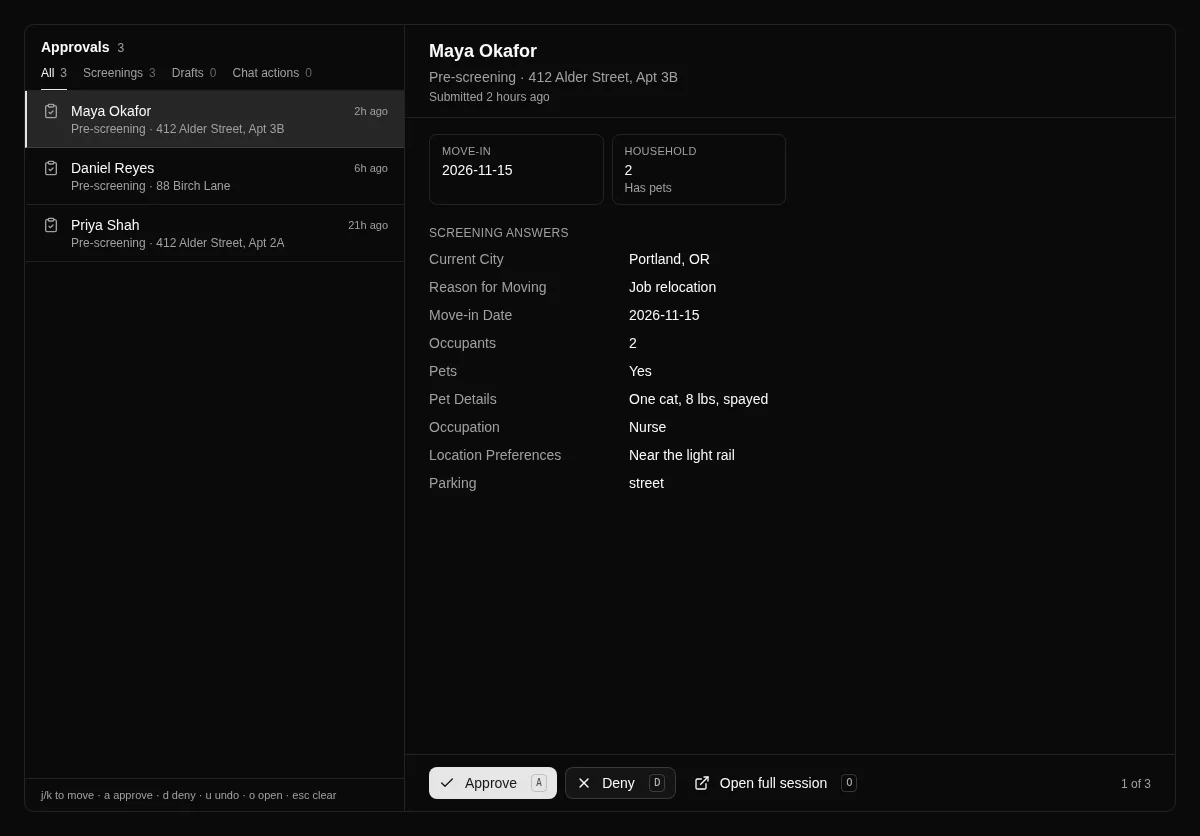
Rentalot's pre-screening asks your questions before you invest any time. Share one link and prospects answer by text form or in-browser voice. Their answers land in your Approvals queue, and you decide who gets a showing. Rentalot organizes the answers; it does not decide for you.
Guided questionnaire
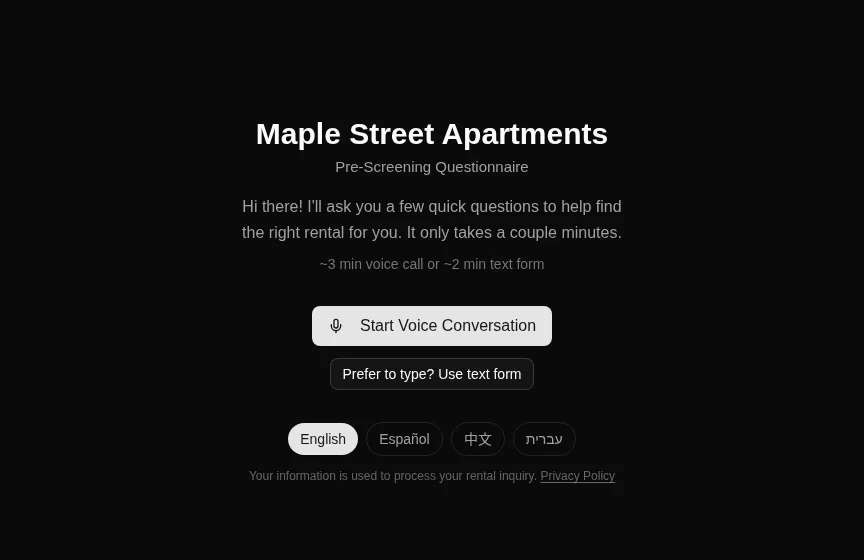
A step-by-step form collects current city, reason for moving, move-in date, occupants, pets, occupation, and any custom questions you add. Prospects answer at their own pace.
Voice alternative
Prospects who would rather talk can answer by voice in the browser. The conversation produces the same structured answers as the text form.
One shareable link
Put your public pre-screening link in listings, replies, and texts. Prospects can answer in English, Spanish, Chinese, or Hebrew.
Approvals queue
Read each prospect's answers, then approve or deny with a note. Keyboard shortcuts let you move through a stack of responses quickly.
Custom questions
Add your own questions to the pre-screening workflow so it matches how you screen, such as parking, lease length, or smoking policy.
Self-reported, not verified
Answers are what prospects tell you. Rentalot does not run background, credit, or income checks, so you stay in control of what you verify and when.
See it in the product
Screenshots from the live app. Names and addresses are example data.
How setup works
- 1
Add your property
Enter it by hand, or paste your existing listing and let AI fill in the form for you to check.
- 2
Choose your questions
In Settings, turn on pre-screening and pick the questions to ask. Add custom ones if you need them.
- 3
Share your link
Copy your public pre-screening link into listings, replies, and texts. Prospects pick text or voice.
- 4
Review and decide
Each response appears in your Approvals queue and on the prospect's contact page. You approve or deny, then schedule a showing for the ones who fit.
What Rentalot doesn't do
Worth knowing before you start a trial.
- No background, credit, or income checks, and no document collection. Answers are self-reported.
- Rentalot organizes answers and you decide. It does not approve, reject, or rank prospects on its own.
- Voice pre-screening runs in the browser. It does not answer phone calls.
- Voice minutes are capped per plan, so heavy voice use may call for a higher plan.
- Pre-screening is not a legal screening report. Follow fair housing rules and apply the same questions to every prospect.
Which plan fits
Starter — $29/month
For one active vacancy at a time
Starter at $29/month covers pre-screening for up to 50 properties. The free trial lets you try it first with up to 3 properties.
Every plan starts with a 7-day free trial. Upgrade anytime as you grow.
Ready to automate your rental inquiries?
Start your free trial today. No credit card, no commitment.