An AI leasing assistant for landlords who rent out their own properties
Rentalot gives independent landlords an AI leasing assistant for the inquiry-to-showing pipeline. Prospects pre-screen from one link, you review the answers, and the assistant follows up when a conversation goes quiet.
Sound familiar?
- Juggling a day job with rental inquiries means messages sit unanswered until the evening
- A property manager takes a share of monthly rent, which is hard to justify for a few units
- Evenings and weekends go to showings for prospects who don't fit the listing
- You are the whole leasing team, so notes on each prospect live in your head or your phone
Built for small landlords
Reply drafts waiting when you're off work
Inquiries on Gmail, a Telegram bot, or SMS from your own Sent.dm account get an AI reply draft. You approve it when you're back at your phone.
Pre-screening before showings
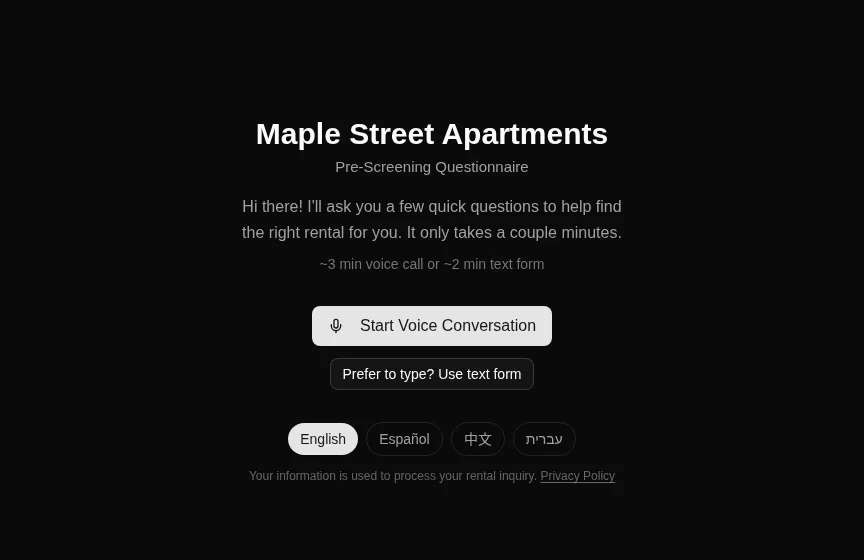
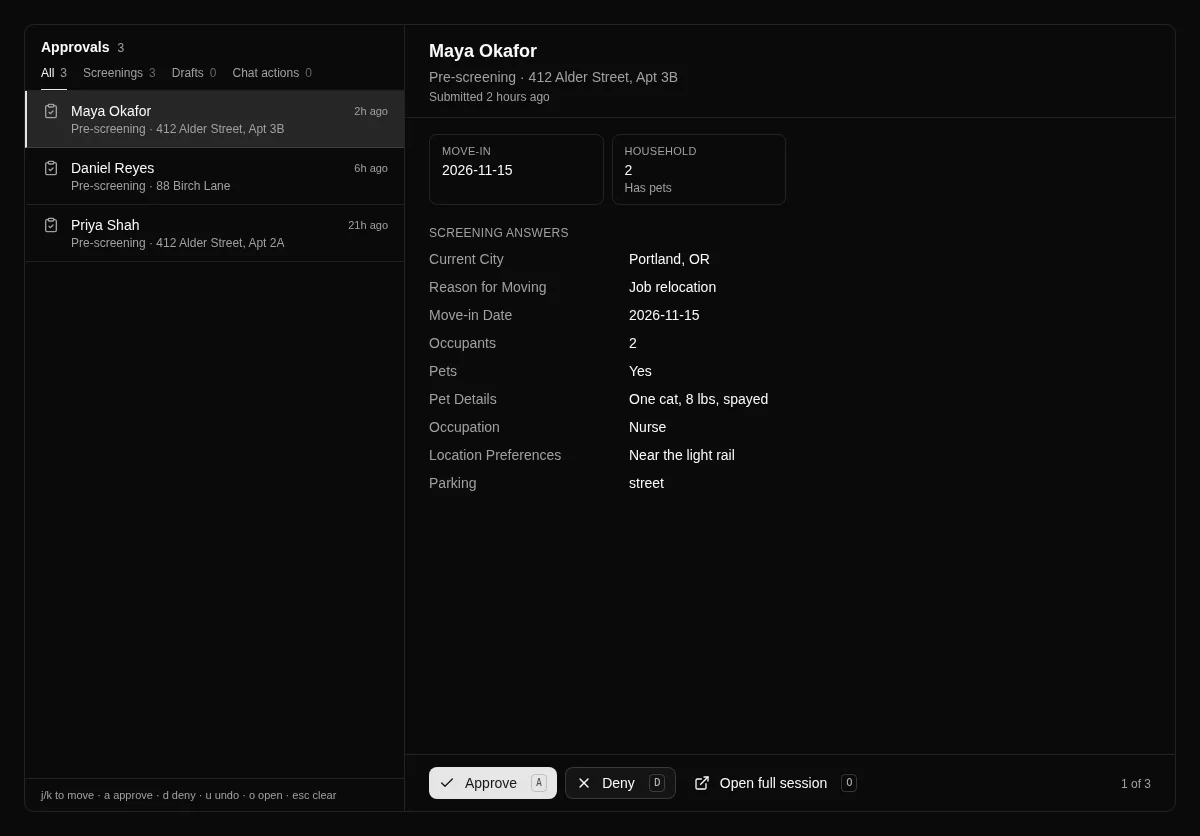
Prospects answer your questions — move-in date, household, pets, occupation, and anything you add — before you drive to the property. You decide who gets a showing.
Text or voice
Prospects who would rather talk can answer by voice in the browser. No phone tag, and the answers are saved in the same format as the text form.
Showings on your calendar
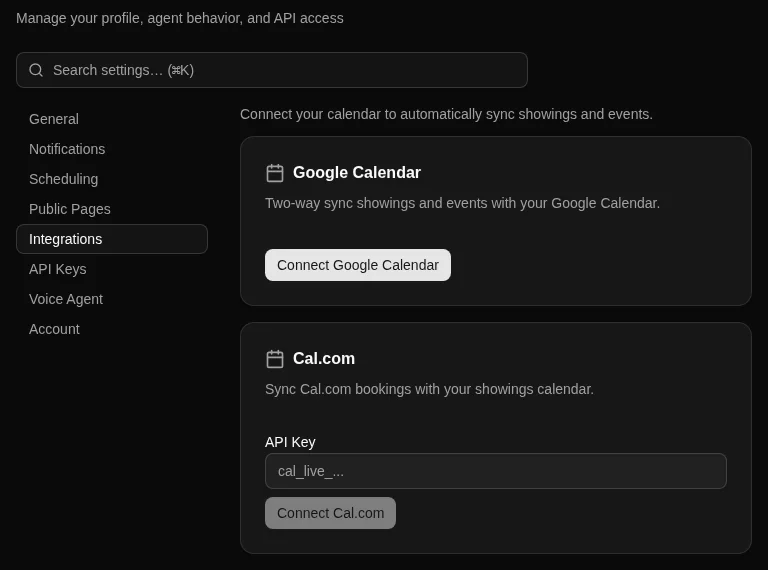
Showings live on your Events calendar. On a paid plan, connect Google Calendar or Cal.com so prospects can book from your open times.
Simple dashboard
Properties, contacts, showings, and conversations in one place. No enterprise setup or seat management.
Pricing that fits a few units
Starter is $29/mo for up to 50 properties, billed as a flat fee rather than a share of your rent.
See it in the product
Screenshots from the live app. Names and addresses are example data.
How setup works
- 1
Start a free trial
Sign up for the 7-day trial with up to 3 properties. No per-showing fees.
- 2
Add your property
Enter it by hand, or paste your existing listing and let AI fill in the form for you to check.
- 3
Choose your questions and share the link
Turn on pre-screening in Settings, then put your public pre-screening link in your listing and replies.
- 4
Review answers and decide
Each response shows up in your Approvals queue. Approve or deny, with a note if you like.
- 5
Schedule the showing
Add it to your Events calendar. Connect Google Calendar or Cal.com on a paid plan to keep it in one place.
What Rentalot doesn't do
Worth knowing before you start a trial.
- No background, credit, or income checks. Pre-screening answers are self-reported, and you decide how much weight to give them.
- Rentalot does not approve or reject prospects. You make every decision.
- Reply drafts wait for your approval. Auto-send is a setting you turn on, not the default.
- No rent collection, lease signing, or maintenance tracking. Rentalot covers inquiry to showing.
- No WhatsApp and no phone answering.
- It does not post your listing to other rental sites.
Which plan fits
Starter — $29/month
For one active vacancy at a time
Starter is built for one active vacancy at a time and allows up to 50 properties. Move to Pro if you are running several vacancies at once or want API writes and webhooks.
Every plan starts with a 7-day free trial. Upgrade anytime as you grow.
Ready to automate your rental inquiries?
Start your free trial today. No credit card, no commitment.